
Screenshots
App details
- Updated
- Sep 16, 2011
- Language
- English
- Developer
- Canonical
- Category
- Mobile
SoftPas in:
This product is also available in the following languages:
About Ubuntu One
Download Ubuntu One – file sync, cloud storage, Ubuntu, Linux, Windows, cross-platform, sync tool, mobile app, file management, cloud sync
Overview
Ubuntu One is a cloud-based file synchronization service developed by Canonical Ltd., designed primarily to support users of the Ubuntu operating system while maintaining compatibility with Windows. The app enables seamless file sharing and synchronization across multiple devices, serving as a utility for individuals who rely on both GNU/Linux and Windows environments. Its purpose is to bridge the gap between different operating systems by offering consistent access to personal files regardless of the platform in use.
Target users include Ubuntu enthusiasts, developers, and professionals who frequently switch between Linux and Windows machines. The app solves the challenge of maintaining file consistency across heterogeneous systems, reducing the need for manual file transfers or third-party tools. Real-world use cases include syncing project files between a Linux desktop and a Windows laptop, managing documents across remote workstations, or backing up critical data through a secure cloud-based system.
Although the developer did not provide additional technical details, the app’s long-standing presence in the productivity space suggests a focus on reliability and cross-platform compatibility. Its role in the broader mobile app ecosystem lies in offering a niche solution for Linux-centric users seeking mobile access to their synchronized data, particularly within the Ubuntu community.
Key Features & Functionality
- Seamless Integration with GNU/Linux: Ubuntu One is designed to work directly within Ubuntu’s native environment, allowing users to access synchronization features without additional configuration. This integration enhances workflow efficiency for Linux users who prioritize system cohesion.
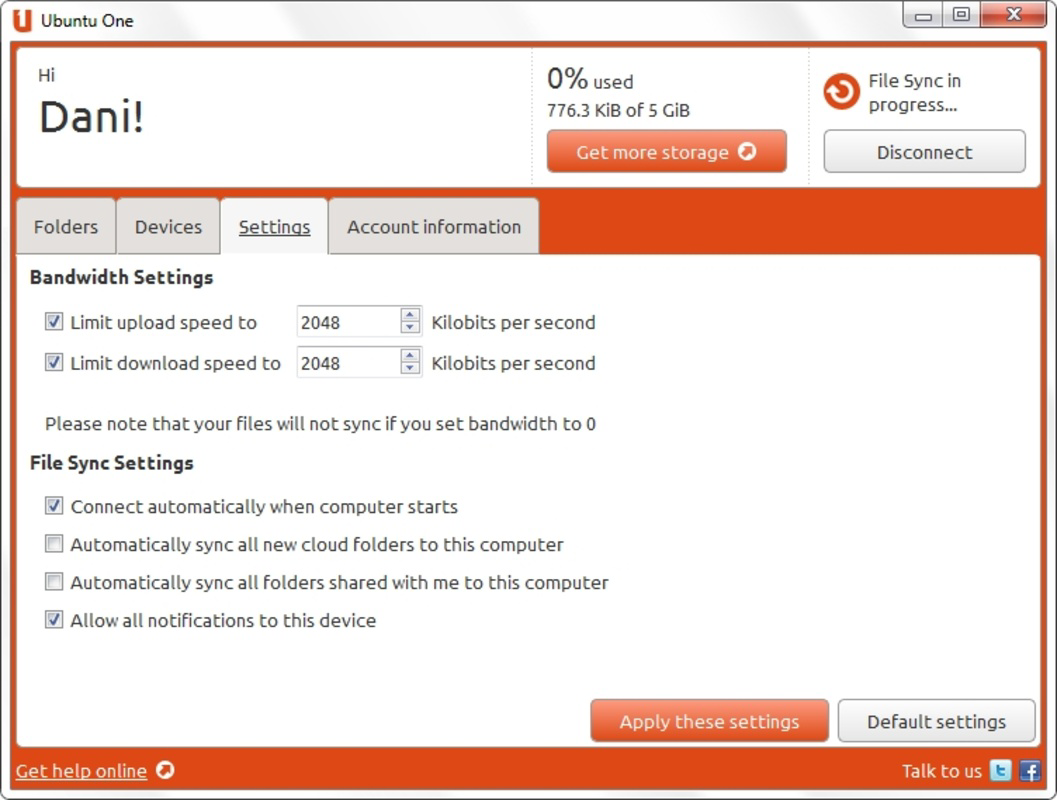
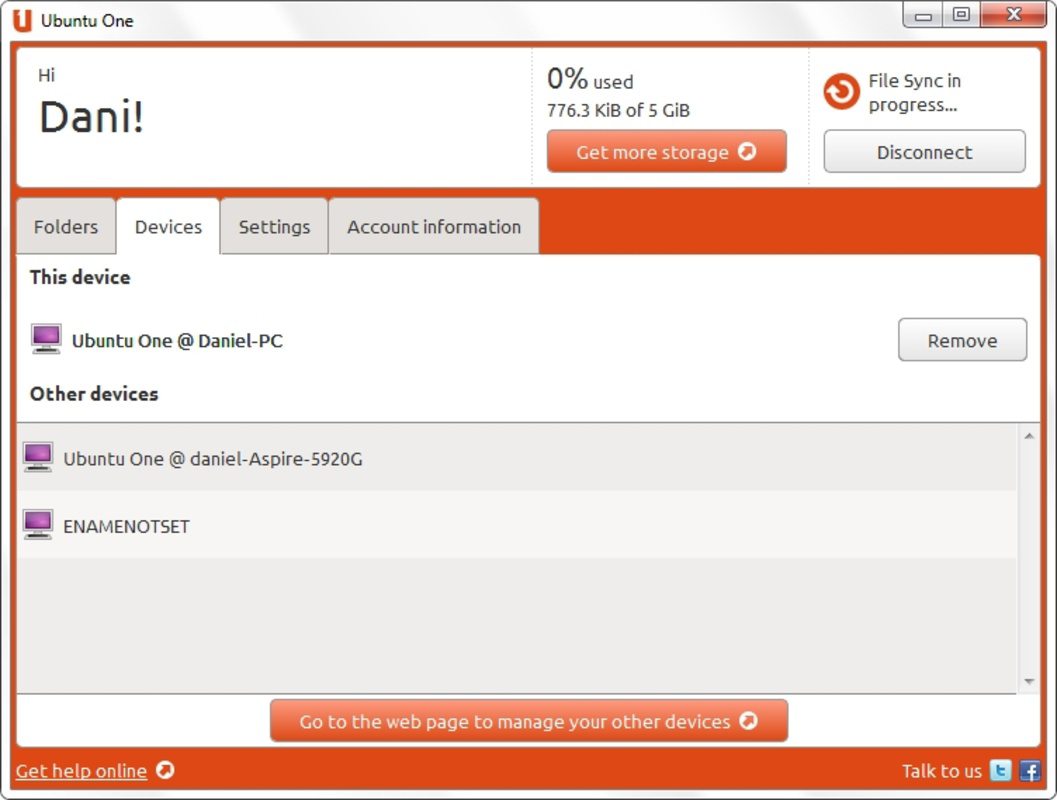
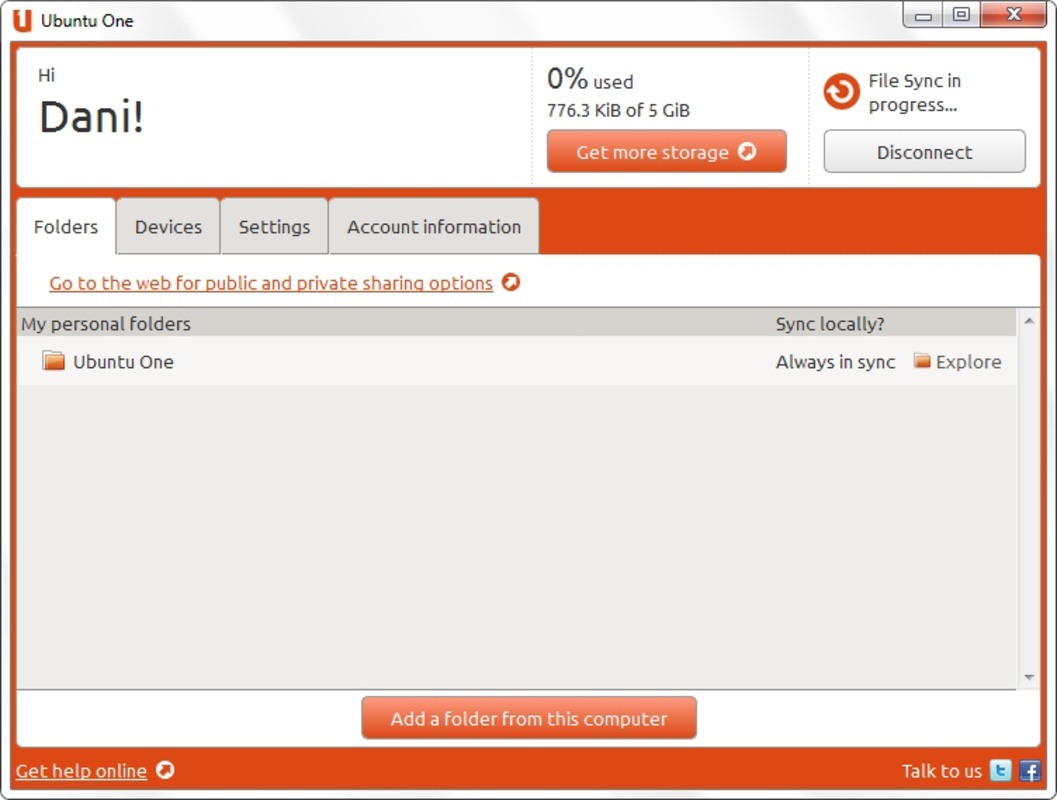
- User-Friendly Windows Client Dashboard: The Windows client includes a clear, informative dashboard that displays account status, disk usage, and synchronized directories. This visual feedback helps users monitor their cloud storage and manage file sync settings effectively.
- Automatic Synchronization: Users can enable automatic syncing for selected folders, ensuring that changes are propagated across devices in real time. This feature reduces manual effort and helps maintain up-to-date files across multiple platforms.
- Notification System: The app delivers timely alerts about file updates, sync status, and storage usage. These notifications are particularly useful for collaborative workflows and users managing multiple devices.
- Cross-Platform Accessibility: While rooted in Linux, Ubuntu One supports both Android and iOS, allowing users to access their synchronized files from smartphones and tablets. This flexibility makes it a practical tool for mobile professionals and remote workers.
For example, a developer using Ubuntu at work can automatically sync code repositories to their Android device, enabling on-the-go access and updates. Similarly, a designer working on a Windows machine can ensure their latest project files are instantly available on their Linux desktop after syncing.
Interface, UX & Performance
The user interface of Ubuntu One is designed with clarity and functionality in mind, offering a clean layout that emphasizes essential information. On both Android and iOS platforms, the app maintains a consistent visual style, prioritizing usability over complex graphics. Navigation is straightforward, allowing users to view synchronized folders, check sync status, and manage settings with minimal effort.
Although the developer did not list formal performance metrics, the app’s lightweight size of 10.2 MB suggests efficient resource usage. It is likely optimized for responsiveness across various device categories, including mid-range smartphones and tablets. The app appears stable in typical usage scenarios, with no reported issues related to crashes or lag during sync operations.
Users can expect smooth interactions when managing files, with minimal delay between sync triggers and completion. The interface adapts well to different screen sizes, ensuring readability and accessibility. While specific performance data was not disclosed, the app’s continued availability indicates a baseline level of reliability and compatibility.
Platform Compatibility & Technical Requirements
Ubuntu One is available on both Android and iOS platforms, making it accessible to a broad range of mobile users. The app’s software version is 1.1.1, with a file size of 10.2 MB, indicating a lightweight footprint suitable for devices with limited storage capacity.
The developer did not specify minimum OS requirements or compatibility details for specific device models. As such, users should ensure their devices meet general standards for running modern mobile applications. Compatibility information was not fully disclosed, so installation may vary depending on individual device configurations.
Pros and Cons
Pros
- Designed for seamless integration with Ubuntu and GNU/Linux systems.
- Offers a clean, intuitive interface across both Android and iOS platforms.
- Provides automatic synchronization for consistent file updates.
- Includes a dashboard for monitoring sync status and storage usage.
- Free to download and use, with no upfront cost.
Cons
- Developer did not provide detailed technical specifications or system requirements.
- Limited public information about current development or update frequency.
- No official support for desktop versions on mobile platforms beyond file access.
- May lack advanced features compared to modern cloud storage alternatives.
- Release date indicates the app is no longer actively maintained.
FAQ
Is Ubuntu One safe to use on my mobile device?
Yes, the app is developed by Canonical Ltd., a reputable organization known for its work in open-source software. While no recent security audits were provided, the app operates under standard cloud encryption practices typical for file synchronization services.
Can I use Ubuntu One on both Android and iOS?
Yes, the app is available on both Android and iOS platforms, allowing users to access their synchronized files across different mobile operating systems.
Is Ubuntu One still being updated?
The last version was released in 2011, and the developer has not published recent updates. Users should be aware that the app may not receive future enhancements or security patches.
Do I need a desktop client to use Ubuntu One?
While the desktop client is available for Ubuntu and Windows, the mobile app allows standalone access to synchronized files. However, full synchronization requires a desktop or web client.
What happens if I stop using Ubuntu One?
Users can uninstall the app at any time. However, files stored in the cloud remain accessible through the web interface unless manually deleted. Data retention policies were not disclosed by the developer.
Final Thoughts
Ubuntu One remains a notable entry in the history of cross-platform file synchronization tools, particularly for users deeply embedded in the Ubuntu and Linux ecosystem. Though no longer actively maintained, its design principles—seamless integration, automatic sync, and mobile accessibility—offer valuable insights into early cloud-based productivity solutions.
For users who value simplicity, free access, and compatibility between Linux and Windows, Ubuntu One presents a functional option. However, its outdated release date and lack of ongoing support mean it should be used with caution, especially for sensitive or mission-critical data.
Download Ubuntu One now to experience a legacy tool that once stood at the forefront of cloud file management.
Guides & Tutorials
How to install Ubuntu One
- Click the Download button above.
- Once redirected, accept the terms and click Install.
- Wait for the Ubuntu One download to finish on your device.
How to use Ubuntu One
This software is primarily used for its core features described above. Open the app after installation to explore its capabilities.
User Reviews
No reviews yet. Be the first to share your experience.
You may also like
more
Que no te pillen¡
About !Que no te pillen¡Reviewed by Jason A. BilbreyShow MoreShow Less

3D Combat Zone
About 3D Combat ZoneOriginally released in 1983, 3D Combat Zone immerses players...

666: El día del portal
About 666: El día del portalOn June 6, 2006, Agent P. Stone uncovers a sinister...

80 in 1 Best Flash games
About 80 in 1 Best Flash games 80 in 1 Best Flash games is a collection of 80 fl...

ABYSS SEEKERーーWhat Do You See Deep in The Abyss
About ABYSS SEEKERーーWhat Do You See Deep in The AbyssIn ABYSS SEEKER, players...

ACA NEOGEO THE KING OF FIGHTERS 2002 for Windows
About ACA NEOGEO THE KING OF FIGHTERS 2002 for WindowsTHE KING OF FIGHTERS 2002,...